
A direct contact
Amanzaman is based in Munich. If you have questions, contact us through the contact form.
ContactYour money. Your plan.
Plan your spending, keep track of your budget, and see how much you have left to spend this month.
Basic from €1.99 per month.
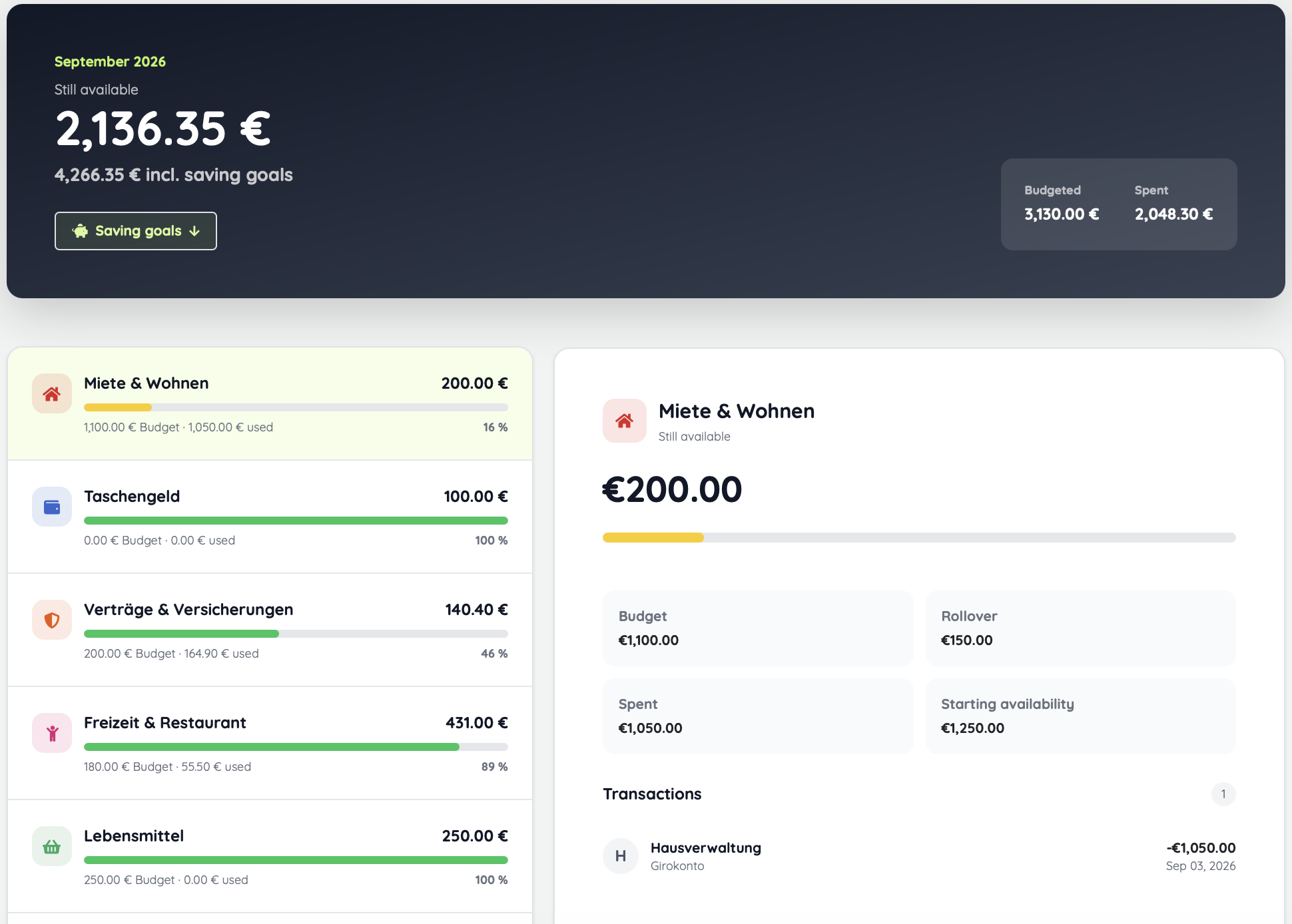
See what you have planned, what you have already spent, and how much remains in your categories.

Who is behind Amanzaman, how bank connections work, and what you decide for yourself.
Amanzaman is based in Munich. If you have questions, contact us through the contact form.
ContactBank connection is optional and provided through GoCardless. Amanzaman does not store online-banking passwords.
How bank connection worksOn the Pro plan, AI can help identify payees. Payee names may be sent to OpenAI and may contain personal information. Transaction amounts are not sent as a separate data field in these requests.
What data the AI processesUnder “Profile → Delete account and data”, you can start deletion yourself. We explain transparently what is deleted and which exceptions apply.
How deletion worksTwo-factor authentication adds protection to your login with a code from your authenticator app. Recovery codes help you sign in if your device is unavailable.
How your login is protectedYour connection to Amanzaman is encrypted. We also encrypt selected stored data, such as bank-import and session data. Our backups are stored encrypted too.
What is encrypted, and how?Organise your spending and see how your finances develop.
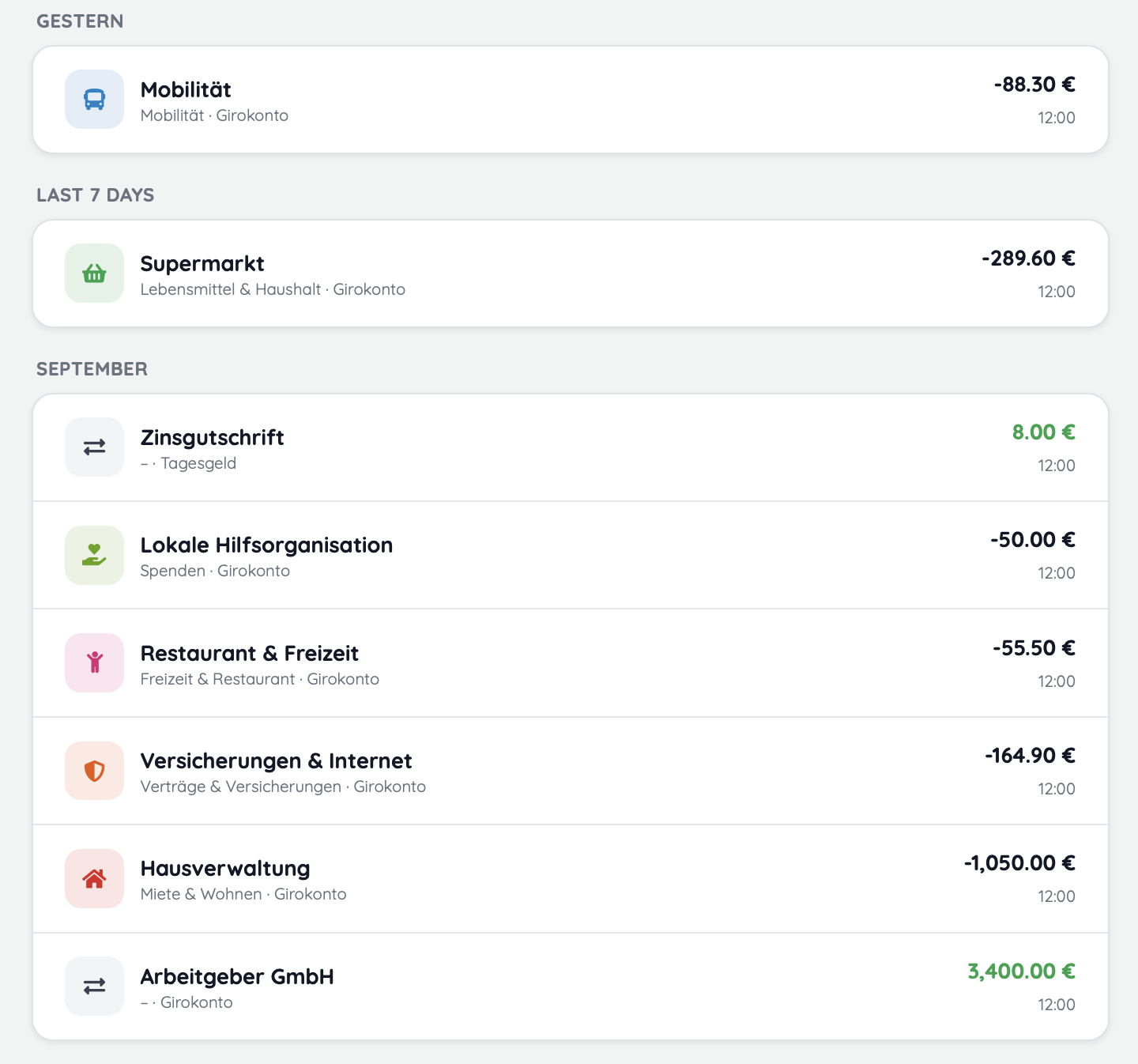
Assign your income and expenses to suitable categories. Automatic suggestions help, and you can adjust every assignment yourself.
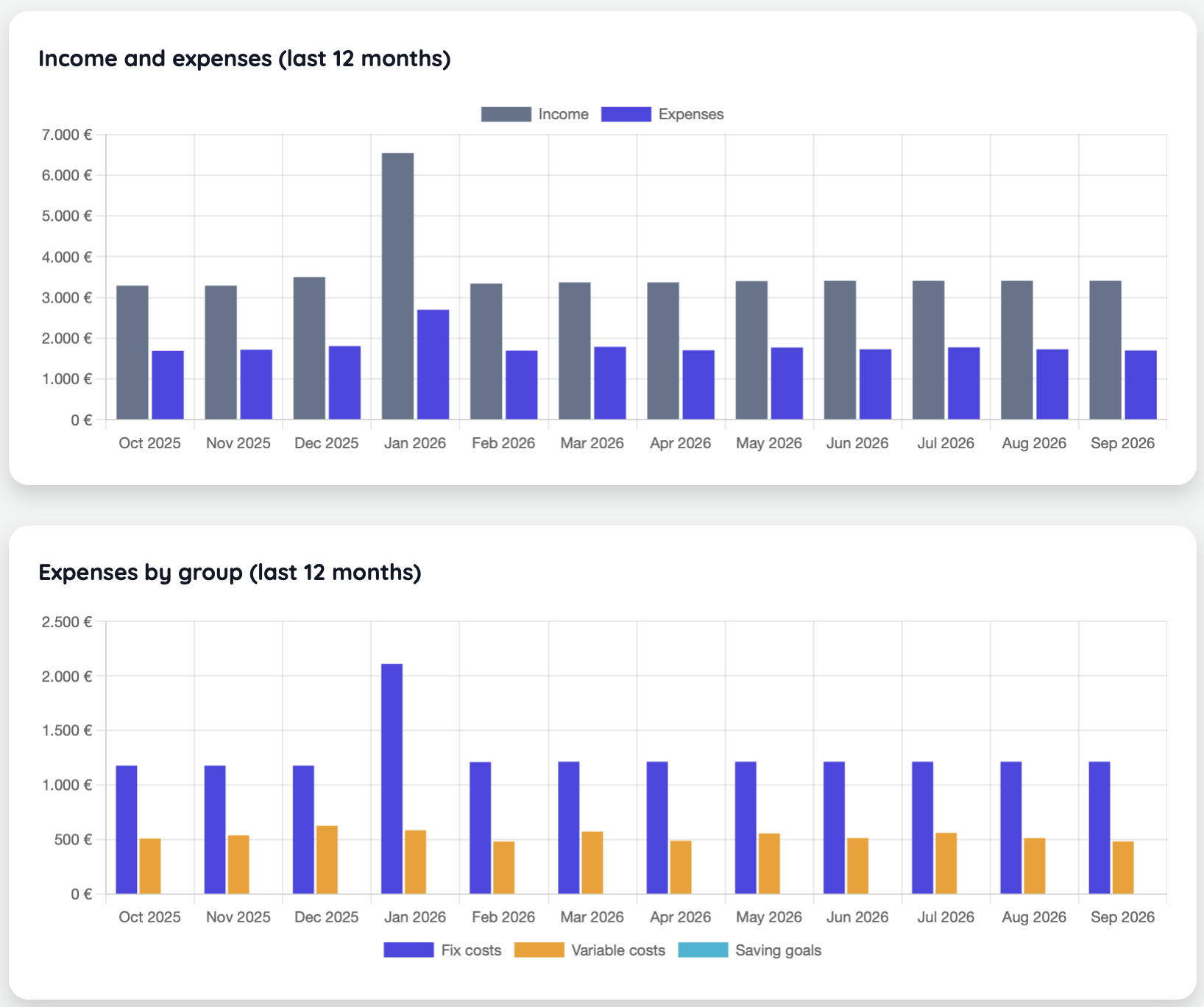
Compare income and expenses over twelve months and see how fixed and variable costs develop.
Start with manual entries or import transactions from a CSV file. From Basic, you can optionally connect a supported bank account.
Decide how much to allocate to your categories. Remember savings and expenses that do not occur every month.
Review your spending and remaining budget regularly. Adjust your plan when everyday life changes.
Alongside your budget, you can keep an eye on sustainability, donations, and Zakat.
With Pro, get additional information about company sustainability and an estimate of the carbon footprint of your spending.
Included in ProKeep track of your recorded donations and how they develop over the year.
Calculate your estimated Zakat and keep track of payment dates.
You can choose free access when registering. A paid subscription starts only if you actively select a plan and confirm the purchase through Stripe; Basic costs €1.99 per month when billed monthly. See pricing
Yes. You can enter transactions manually or import a supported CSV file. Automatic bank connection is optional and available from Basic.
Availability depends on the country, bank, and GoCardless and may change. Signed-in users can search supported institutions by country when setting up a bank connection.
Amanzaman runs in a web browser on computers and smartphones. An iPhone app is planned for the App Store in November 2026 and is not yet generally available.
Manage paid web subscriptions under Profile through the Stripe customer portal; cancellation takes effect at the end of the current billing period. Account deletion is separate and is found under “Profile → Delete account and data”.
Data sent to Amanzaman is encrypted in transit. Selected stored data, such as bank-import and session data, is also encrypted. Not all transaction fields are individually encrypted. Amanzaman is not an end-to-end encrypted service.
What is encrypted, and how?Different customers' financial workspaces are technically separated. When you access a workspace, Amanzaman checks that your user account belongs to it. Authorized members of a shared workspace may also have access according to their permissions.
More about separate financial workspacesYes. Optional Google Analytics is only loaded after you consent. You can choose “Required only” and continue using Amanzaman.
More about optional analyticsPlan your spending and keep track of what you still have available.
Basic from €1.99 per month.